code / data
How I test Noland
This website has grown from a collection of pages into something people can operate. You can filter the writing archive, reorder my director rankings, buy a fictional plane ticket, and inspect a passenger record in Blood Manatees. A successful build does not tell me whether those interactions work.
I added a browser-test layer to check those journeys in the generated site. There are five journeys, run in two Chromium profiles, for ten checks: a desktop browser and an emulated phone with a 390-pixel viewport. The first local run passed all ten. The workflow linked below records subsequent results against a fresh Jekyll build.
View the workflow runs · Read the browser tests · View the test configuration
From source files to a tested deployment
Posts, project metadata, and generated public data
                       ↓
                 Jekyll builds HTML
                       ↓
           Built-page and navigation checks
                       ↓
          Playwright follows visitor journeys
                       ↓
            Upload the tested site artifact
                       ↓
                  GitHub Pages
The existing fast checks remain part of the workflow. They validate data, calculations, navigation, and application logic. Playwright adds a different kind of evidence: a real browser loads the HTML, executes the scripts, follows controls, and measures the resulting page.
The tests run against a loopback server serving _site, not against the live website. That makes them useful before publication. It also keeps test actions away from visitors. The ticket payment and passport reader are fictional story controls; the test does not enter personal information or make a purchase.
What the browser checks
| Journey | What must work |
|---|---|
| Writing & Projects | Format and topic filters combine correctly; clearing them restores the entries; reloading and browser Back preserve the selected state. |
| Director rankings | Total stars starts with Spielberg; average rating starts with Nolan; tied directors share a rank; the average-view link survives a reload. |
| Shannon ticket terminal | Seat and baggage selections survive going Back; collecting the ticket reveals the ending in the parent scene. |
| Miami arrival workstation | Camera views follow the desk review; completion reveals and focuses the ending; replay resets the scene. |
| Appearance and layout | A dark-mode choice survives reload and navigation; the tested pages fit their viewport without horizontal scrolling. |
The director test also checks the image fallback. External requests are blocked during the suite, so a temporary problem at a poster host cannot determine whether a sorting test passes. This makes the result repeatable, but it means these tests do not verify the availability or correctness of external images.
Assertions wait for the expected UI state. The ticket test waits for the collection button to appear rather than assuming the simulated printing animation finishes after a particular delay. Playwright documents this approach in its auto-retrying assertions.
Checking that a check can fail
Passing tests are only useful if the assertions can detect the problem they describe. I ran a separate negative control on the director page: inject a temporary min-width: 900px rule into the test browser, then measure horizontal overflow.
The emulated phone viewport was 390 pixels wide. The document became 915 pixels wide. The assertion rejected it and saved a screenshot and diagnostic trace.
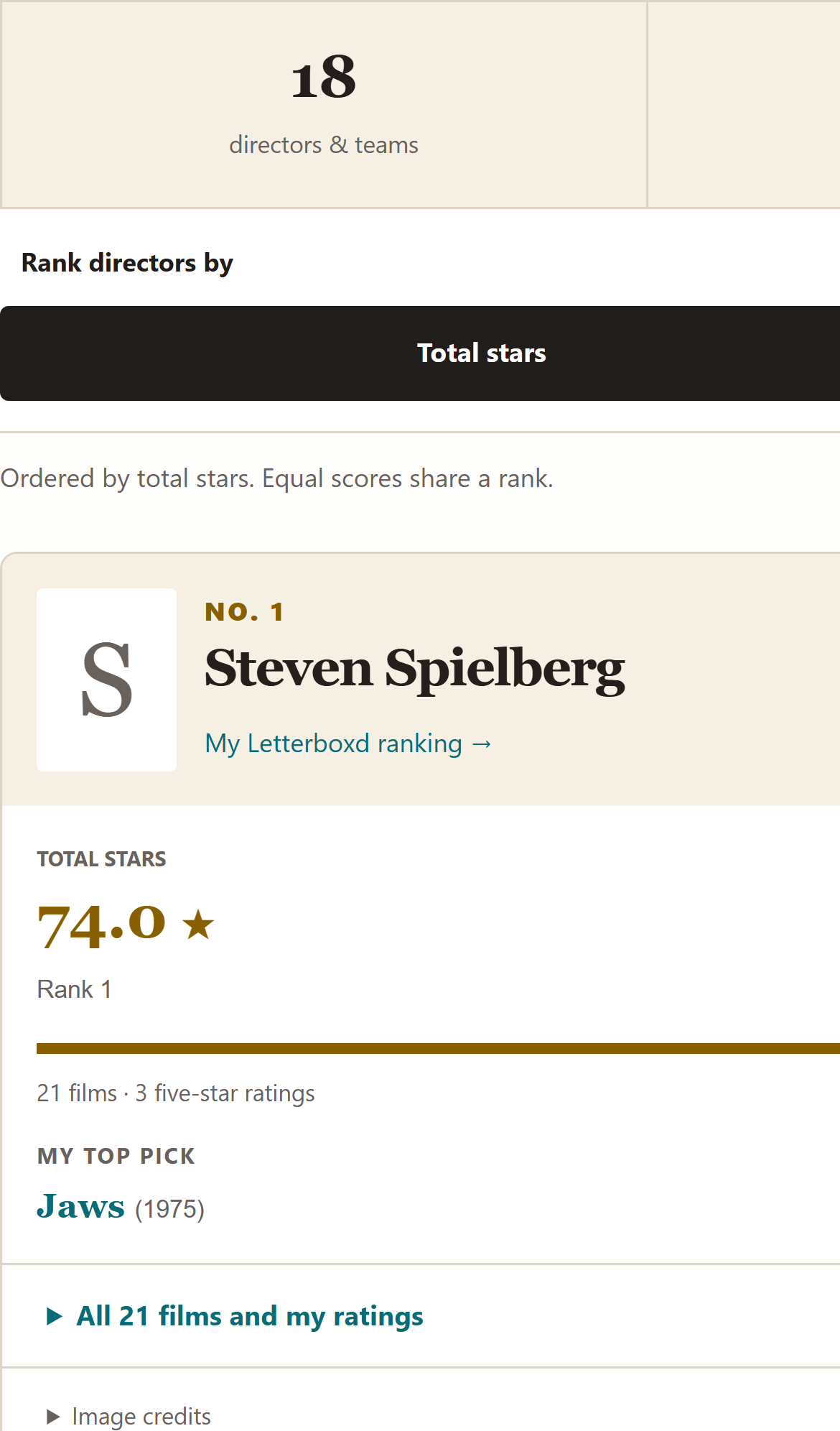
That probe is excluded from the normal suite and CI. It never changes the site’s source styles. Its purpose is to verify the overflow check and the failure-evidence setup. The probe source is kept alongside the passing tests so the experiment can be repeated.
The deployment gap this review found
Before this update, the validation workflow and GitHub’s automatic Pages deployment ran independently. A successful deployment was therefore not evidence that validation had passed.
The new workflow puts deployment behind the validation job. Browser tests run before the Pages artifact is uploaded. The deploy job depends on validation and publishes that artifact only from the main branch. Pull requests run checks without publishing. Successful daily content-sync workflows enter the same validation path, so weather and diary updates keep publishing through the gate. Switching Pages to workflow-based publishing removes the independent branch-publishing path.
This gap was found by inspecting the workflow configuration, not by a failing browser test. The distinction matters: different checks answer different questions.
Evidence and limits
The workflow retains its browser report for fourteen days. Failures retain screenshots and Playwright traces, which help explain what the browser saw and did. The configuration uses no automatic retries, so a failure remains visible rather than being concealed by a later passing attempt. Playwright recording options explain the available diagnostics.
This is a focused Chromium suite. Phone emulation is not a test on a physical iPhone or Safari. It does not establish full accessibility compliance, visual correctness, cross-browser compatibility, or complete test coverage. Screenshot capture on failure is diagnostic evidence, not a visual-regression comparison against an approved image.
I built this update with Codex assistance. The test implementation, workflow changes, and this explanation were developed with that assistance; the results described here come from actual test runs. The code, deliberate failure, and workflow history are linked so the implementation can be inspected rather than taken on trust.
For local setup, commands, and the optional negative control, see the browser-testing guide. The next useful additions would be another browser engine and keyboard-focused journeys, guided by the parts of the site people actually use.